
Objective: generate department sales reports.
Instructions:
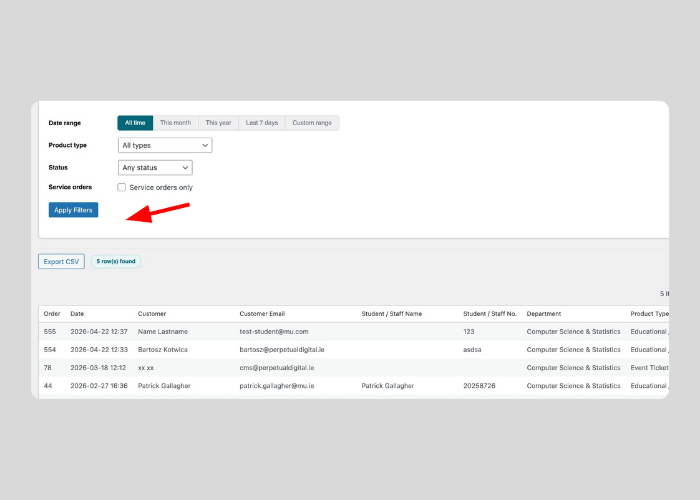
- Open the MU Portal > Reports section.
- Select the report date range.
- Filter by product type, or status if required.
- Review report totals and trends.
- Export to CSV file if needed.
Key notes:
- Monthly reporting should use consistent date ranges.


