Create and publish a new department product in WooCommerce.
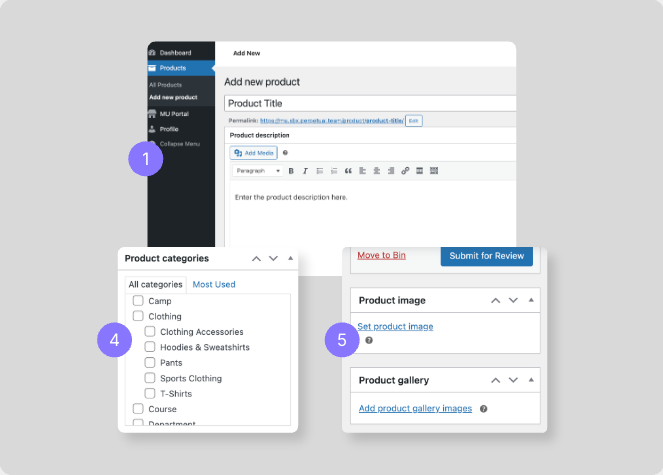
- Navigate to Products > Add New.
- Enter the product title.
- Add the product description in the main content area.
- Select the correct product category for your product. Tick as many as are relevant.
- Upload a product image.
- Add gallery images if needed.