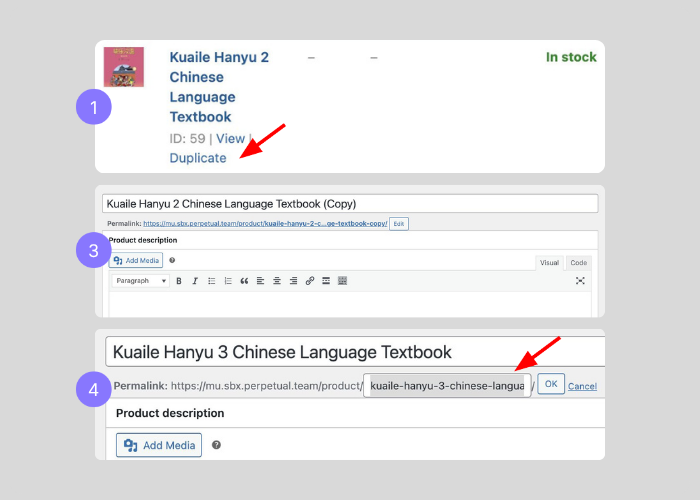
It may be useful to duplicate an existing product, as using the Duplicate option can save time when creating similar products.
- Hover over the product title in the Products list.
- Select Duplicate.
- The duplicated product should then be opened and edited as required.
- Update the Title. Update the Permalink to match the new title. For example, if the title is changed to Kuaile Hanyu 3 Chinese Language Textbook, the permalink should be updated to: kuaile-hanyu-3-chinese-language-textbook.
All other product details can either be edited as needed or left unchanged.